

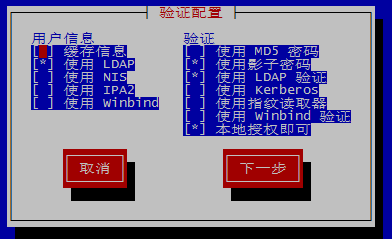
[root@cd ~]# authconfig-tui Traceback (most recent call last): File "/usr/sbin/authconfig-tui", line 27, in <module>
 2014-08-08
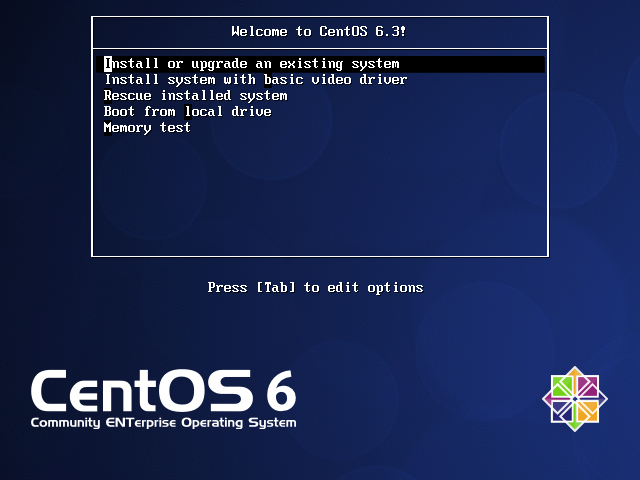
1.启动电源:2.选择第一项后,如下图:3.选择 Skip后,如下图:4.点击 Next 后,如下图:5.选择 English(English),点击Next后,如下图:6.选择 U.S.English,点击 Next后,如下图:7.选择第一项,点击 Next后,如下图:8.选择 Yes后,如下图:
2014-07-31

我现在使用的是阿里云最低配置的服务器,1核、512MB内存,内存不够用,查看内存信息Swap空间为0MB,如下: [root@qasar10 var]# free -m total used free shared buffers
2014-07-30
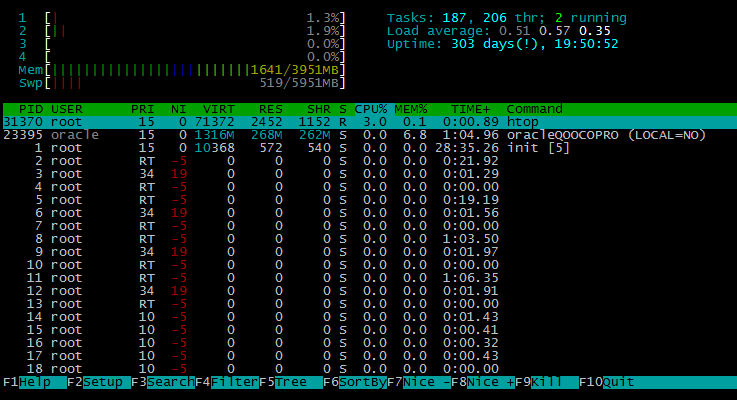
htop 是一个 Linux 下的交互式的进程浏览器,可以用来替换Linux下的top命令。htop官网:http://hisham.hm/htop/系统环境:CentOS release 5.8 (Final)安装htop需要ncurses支持,请确保已安装:[root@localhost ~]#
2014-07-25
装好Nagios后,在浏览器运行时出现It appears as though you do not have permission to view information for any of the hosts you requested解决办法:http://www.verydemo.com/
2014-07-17
安装php时出现configure: error: xml2-config not found. Please check your libxml2 installation解决办法:# yum install libxml2结果还是出现,还需要装一个包:# yum install&nbs
2014-07-17
rsync官网http://rsync.samba.org/ 下载地址:http://rsync.samba.org/ftp/rsync/src/ 本文使用版本:http://rsync.samba.org/ftp/rsync/src/rsync-3.1.0.tar.gz #
2014-05-15
root@oracledb ~]# ps -aux | grep 100 Warning: bad syntax, perhaps a bogus '-'? See /usr/share/doc/procps-3.2.7/FAQ root 2969 0.0 0.0 61092
2014-05-12
各自的文件路径: /etc/crontab 路径:/etc/crontab crontab -e 路径:/var/spool/cron/root (root为用户文件) 各自级别: /etc/crontab 属于系统级 crontab -e 属于用
2014-05-09

在一生产系统中遇到了如下的问题: /home/Record 挂载 /dev/sdb1 ,运行了一段时间后/home/Record无法写入,提示read-only file system,虽不影响业务使用,但录音文件无法写入,对以后查询造成很大影响。
2013-11-15